
Docs2 min readDecember 24, 2025
Install & publish your theme
Upload the theme, preview safely, and publish without losing your place.
This guide covers the safest path to get your new theme live without downtime and with an easy rollback.
Before you start
Make sure you have:
- Store admin access
- Your theme
.zipfile (or Git-based install if your workflow supports it) - A list of any apps that inject widgets into your theme (reviews, subscriptions, bundles, etc.)
Recommended approach: preview first
- In Shopify admin, go to Online Store → Themes.
- Upload the theme as a new, unpublished theme.
- Click Customize on the unpublished theme and set up:
- Header and footer navigation
- Homepage hero content
- Collection template basics
- Product page essentials (media, variants, add-to-cart)
Work in preview until core storefront pages look right. Treat publishing as the final step, not the first.
Publishing (with a rollback plan)
- Duplicate your currently-live theme (name it
LIVE — backup). - In your new theme, confirm:
- Cart works end-to-end
- Search results render correctly
- Mobile header/menu behaves as expected
- Publish the new theme.
If anything feels off, you can immediately re-publish your LIVE — backup.
App blocks and injected widgets
Many apps now use app blocks you add via the theme editor. After installing your theme:
- Re-add app blocks on product pages (reviews, size guides, subscriptions)
- Re-check cart drawer/cart page blocks (upsells, shipping bars)
- Validate that tracking scripts are still firing (GTM/GA4/pixels)
Common pitfalls
- Menus look "missing": your theme doesn't automatically know which menu to use—set it in header settings.
- Fonts/colours changed: publish might surface default theme settings—verify global settings before launch.
- App widgets disappeared: re-add them as blocks or follow app-specific install steps.
Quick verification checklist
- Homepage loads fast and layout is stable
- Product page: variants, price, add-to-cart, gallery
- Collection page: filters and pagination
- Search: results, sorting, empty state
- Cart: quantity updates, discounts, shipping estimates (if used)
Next step
Continue with: Theme editor essentials
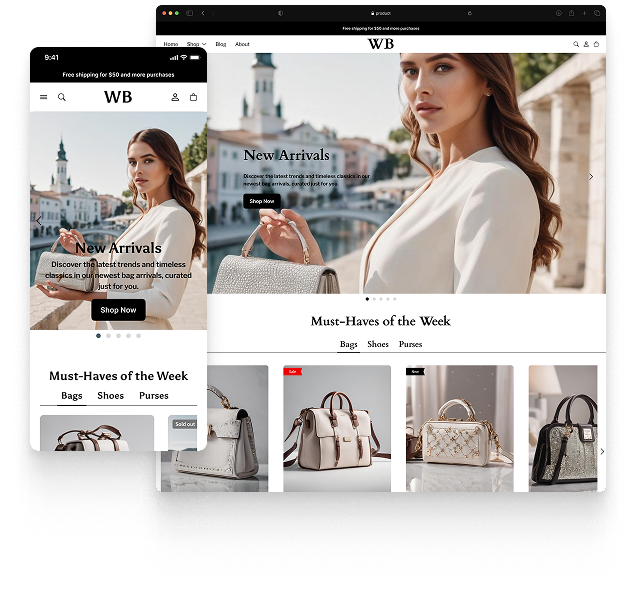
Featured theme: Fennec
Fast, responsive, SEO-ready theme built for conversion.
- Online Store 2.0 sections
- Performance-first layout
- Accessible, SEO-ready foundation
